EOD Buddy is a Chrome extension for virtual assistants who work for several clients. Run a timer per client, log tasks as you go, and copy a clean end-of-day report to Slack or Gmail in one click.
Coming soon to the Chrome Web Store · 7-day free trial, no card needed.
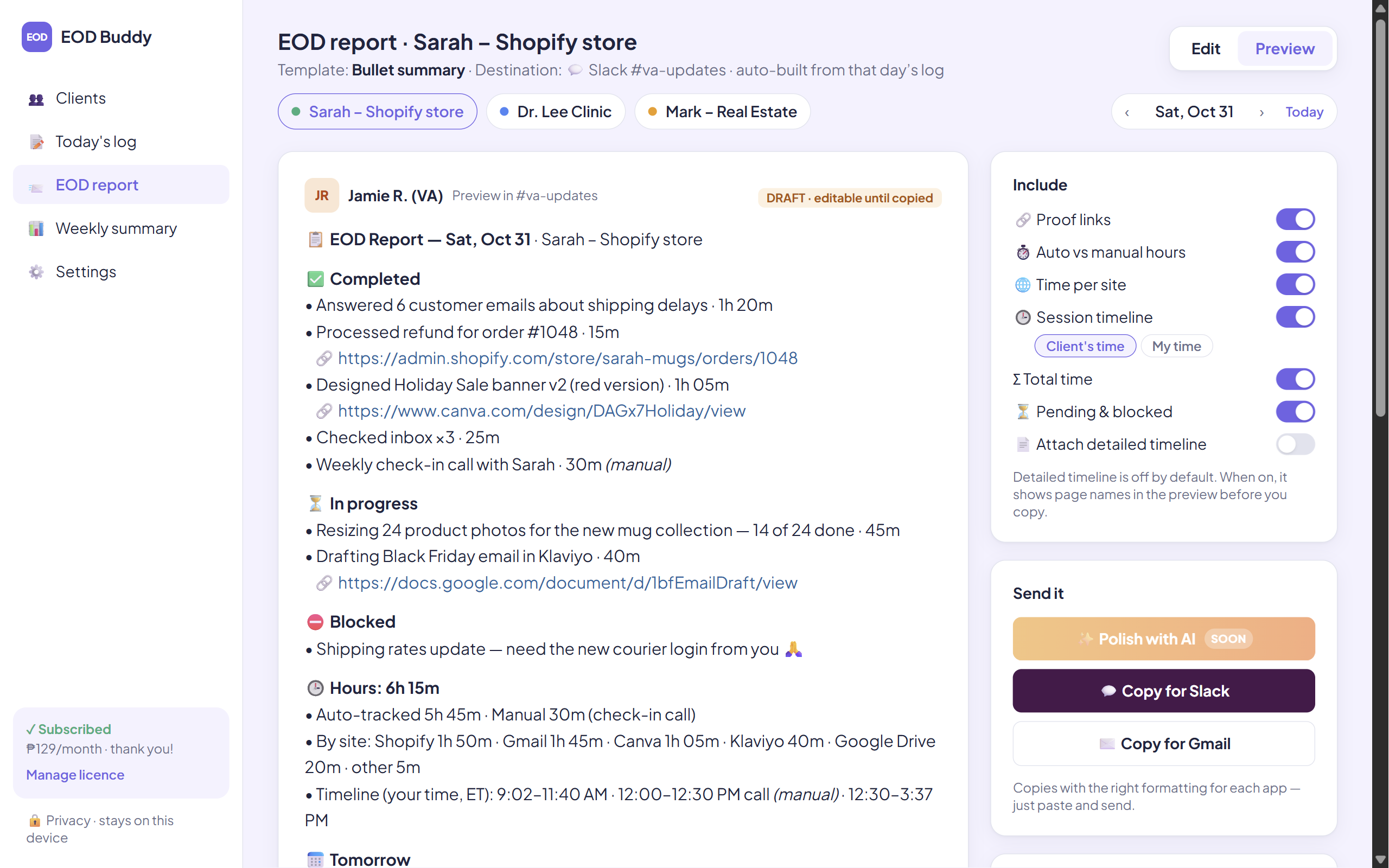
Built for VAs, customer-service reps and executive assistants who juggle clients in different time zones.
Pick the client you're working for and start the timer. Switch clients in a tap. Timezone Guard shows their local time and whether you're inside their working hours, so you don't message them at 3 AM.
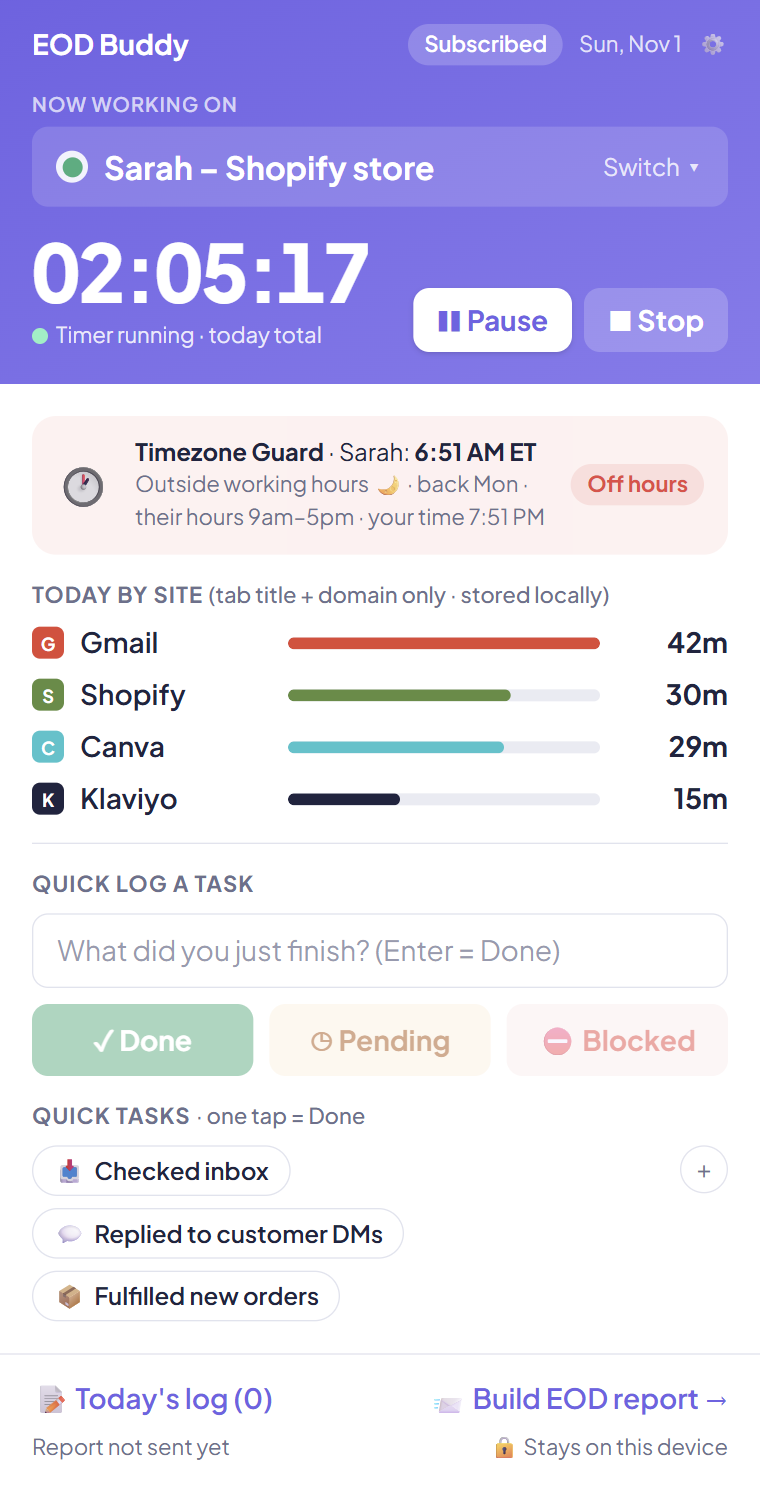
Mark tasks Done, Pending or Blocked, add a proof link, or tap a saved quick task. While the timer runs, EOD Buddy measures time per website and suggests task lines from your tabs. Nothing goes in until you tick it.
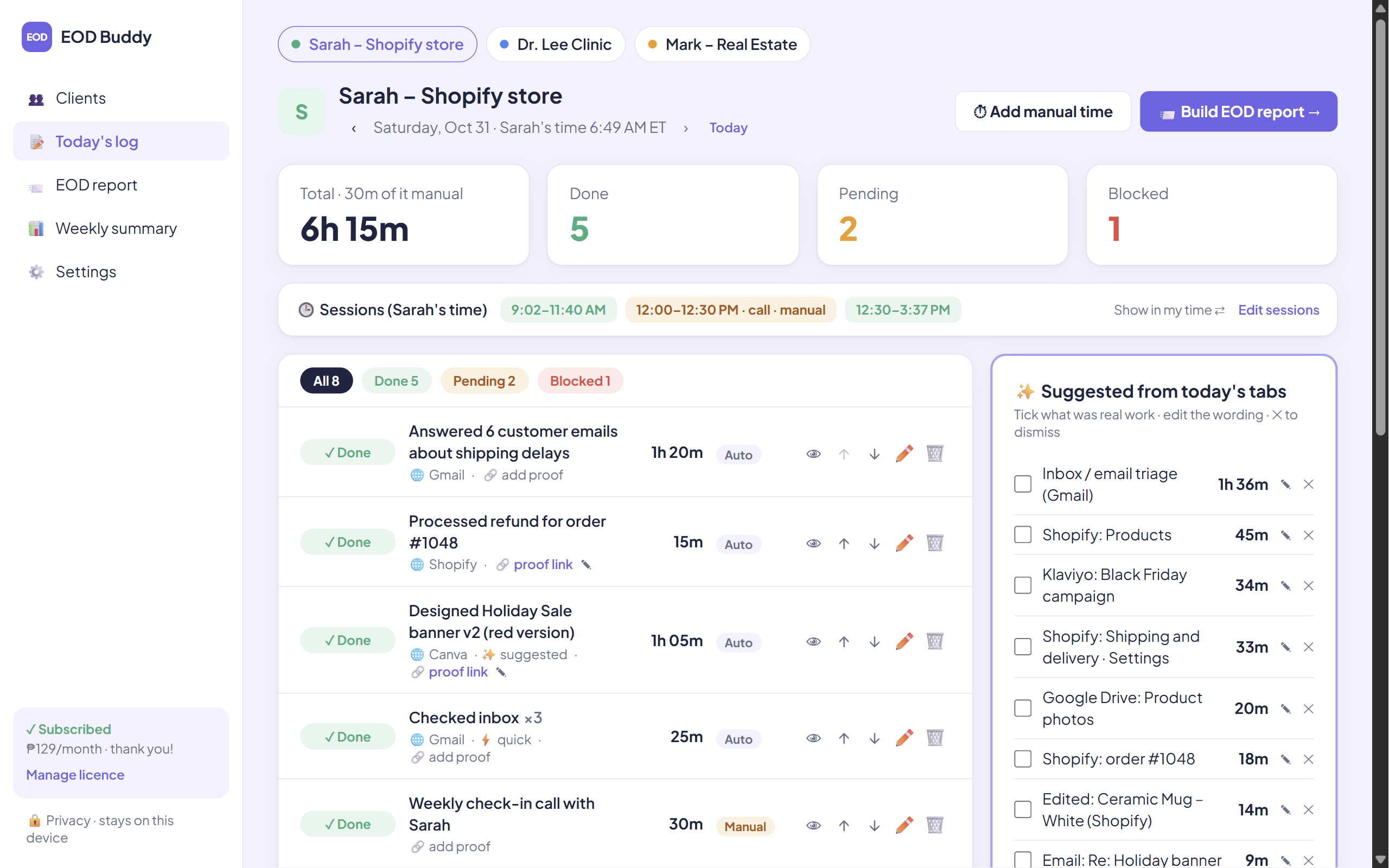
Hours per client and per day, tasks done and your busiest day. Copy the summary or export a CSV for your timesheet or invoice.
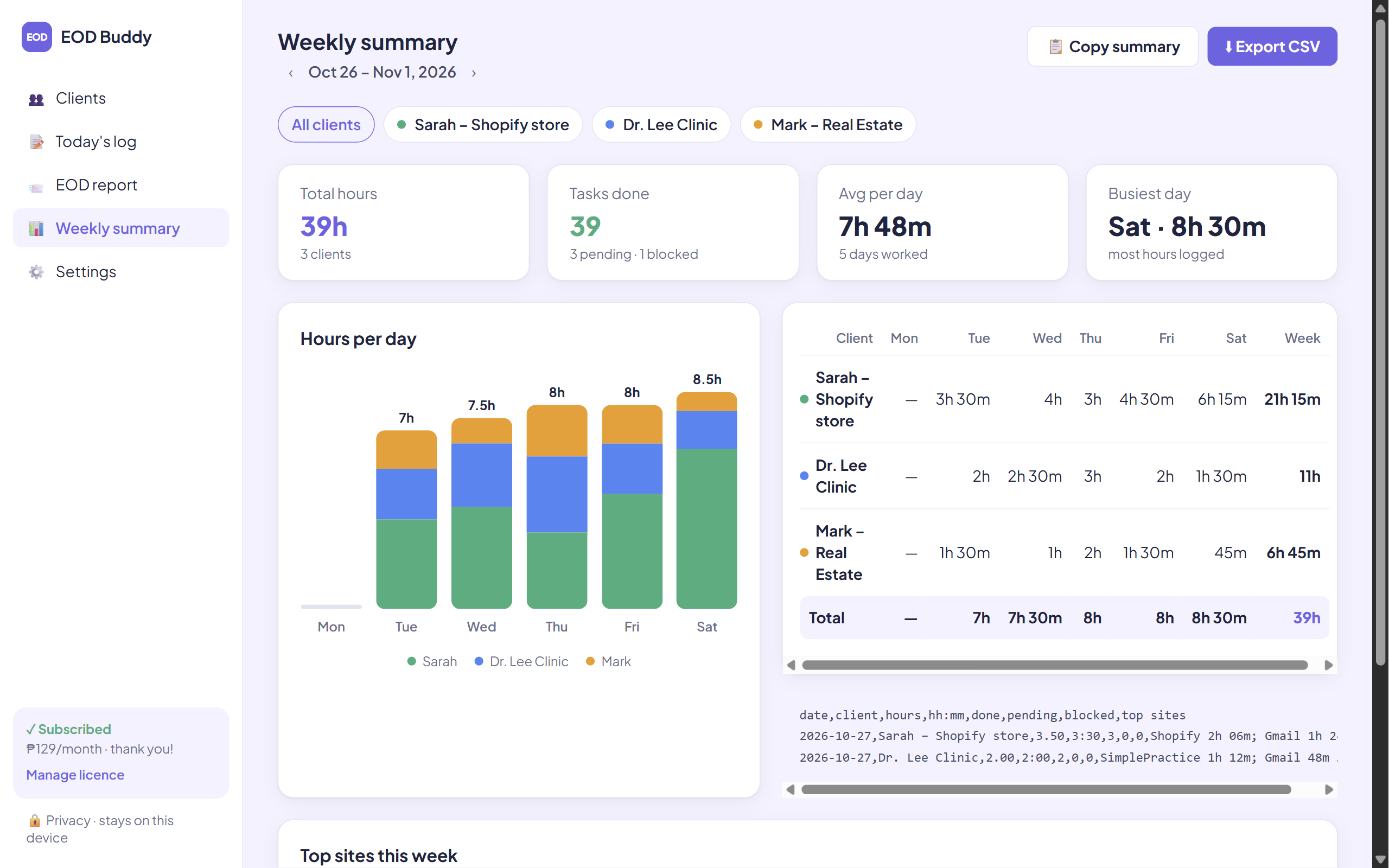
Copy for Slack keeps the formatting; Copy for Gmail pastes a tidy email with lists.
Your report shows tracked time and manual entries (like a client call) separately.
Set your work day to start at noon so a shift across midnight counts as one day.
Step away and the timer pauses, then asks whether to keep the away time.
Your log is about your clients' business. It stays with you.
A licence check with our payment provider, Polar: your licence key, EOD Buddy's store ID and a browser name like "Chrome on Windows". That's it. Your clients, tasks, hours and visits never leave your computer.
Try everything free for 7 days inside the extension. No card to start.
After checkout, paste your licence key into EOD Buddy → Settings → License. When the trial ends without a subscription, your data stays and you can still view and export it.
No. Your clients, tasks, hours and visit log are stored only in Chrome on your computer. The only thing EOD Buddy sends online is your licence check to our payment provider, Polar: your licence key, EOD Buddy's store ID and a browser name like "Chrome on Windows".
Google Chrome on Windows, Mac, Linux and ChromeOS.
As many as you like. There are no client limits.
Yes, one licence key works on up to 3 browsers. Remove a browser in Settings → License (or in your customer portal) to free a spot. Each browser keeps its own data.
Open your customer portal (sign in with your purchase email) and cancel. You keep access until the end of the month you paid for.
Polar, our merchant of record, handles checkout, invoices and payment questions. EOD Buddy never sees your card details.
Email support@eodbuddy.app.
 EOD Buddy